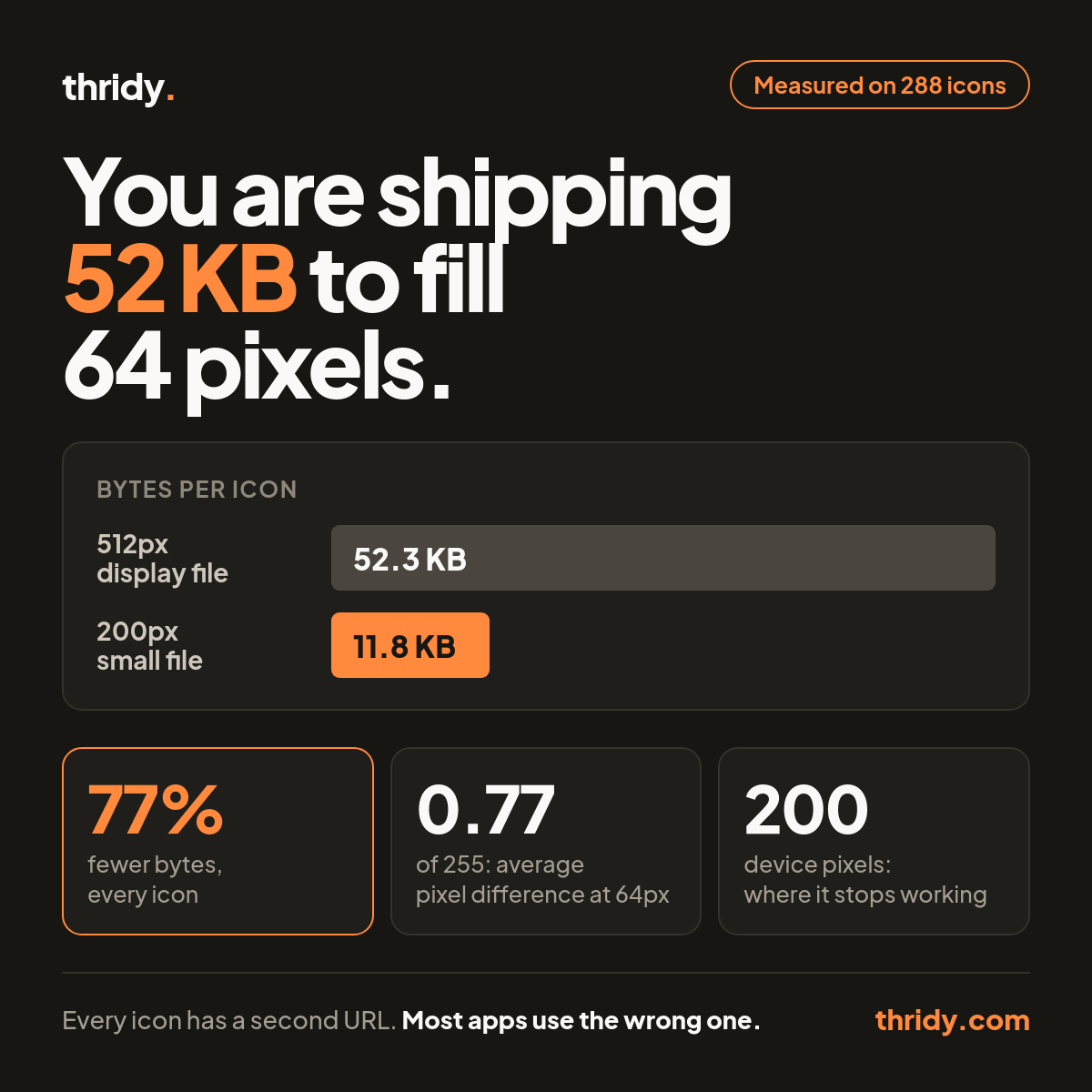
Open the network tab on any page that renders a grid of 3D icons. If you built it from our display URL, each icon arrives as a 512 by 512 image weighing about 52 KB, and the browser then throws most of that away to paint a 64 pixel box.
There is a second file. It is 200 pixels, it averages 11.8 KB, and at the sizes you actually render icons we could not measure a difference you would see. We ran that comparison across 288 of our icons. Below is what we found, including the exact point where the small file stops working.
Every icon record carries three links, not one
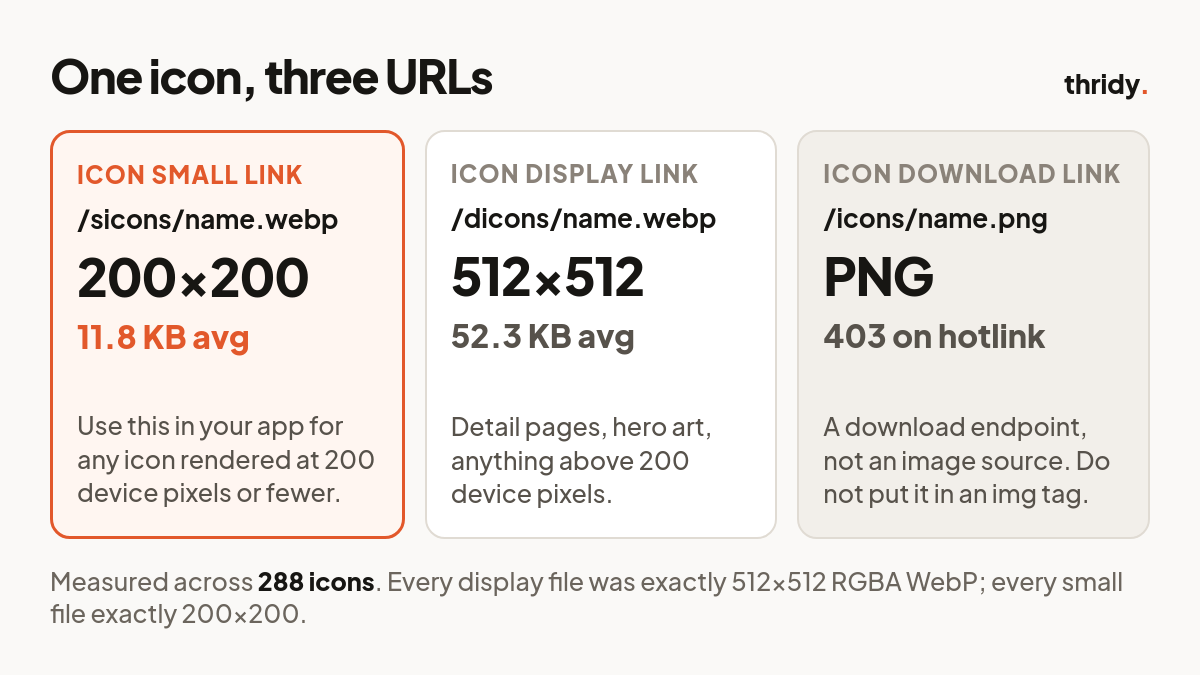
A single icon from our API comes back with three separate URLs, and they are not interchangeable:
Icon Small Link points at cdn.thridy.com/sicons/name.webp. Across all 288 icons we pulled, every one of these was exactly 200 by 200, RGBA WebP. Mean 11.8 KB, median 11.7 KB, range 7.5 KB to 19.8 KB.
Icon Display Link points at cdn.thridy.com/dicons/name.webp. Every one was exactly 512 by 512, RGBA WebP. Mean 52.3 KB, median 50.9 KB, range 28.5 KB to 96.4 KB.
Icon Download Link points at cdn.thridy.com/icons/name.png. This one is a download endpoint rather than an image source. We requested 40 of them directly and all 40 returned 403. It does not belong in an img tag.
Most people reach for the display link, and the reason is not carelessness. It is the one named "display", it is the one that looks canonical, and it is the only one of the three that is documented anywhere prominent. The small file is right there in the same JSON response and almost nothing uses it.
How we measured the difference
We took 288 unique icons, gathered from search results for chart, folder, settings, user, mail, cloud, lock and calendar, and downloaded both the 512 file and the 200 file for each.
To compare them fairly, we resampled both to the same target size using Lanczos in Pillow, composited each onto white, and took the absolute per-pixel difference in luminance on a 0 to 255 scale. We report the mean across the frame and the 99th percentile, because a mean alone will hide a small patch of visible fringing.
One honest caveat: Lanczos is close to what a browser does when it scales an image down, not identical to it. Read these as a tight approximation rather than a trace of Chrome's rasteriser. The gap between the two files is small enough that the resampler choice does not change the conclusion.
The small file is 77 percent smaller
Averaged over the 288 icons, the 200 pixel file saves 40.5 KB per icon against the 512 pixel file. That is a 77 percent reduction, and it is remarkably consistent across the library: for the median icon the small file is 22.7 percent of the size of the display file.
In the shapes that actually appear in products: a 12 icon row costs 0.61 MB from display files and 142 KB from small files. A 24 icon dashboard grid costs 1.23 MB against 284 KB. A 40 icon picker costs 2.04 MB against 473 KB. That last one is a megabyte and a half of transfer for a screen of thumbnails.
At grid sizes, the two files look the same
This is the part that decides it. If the small file cost you visible quality, the bytes would not matter.
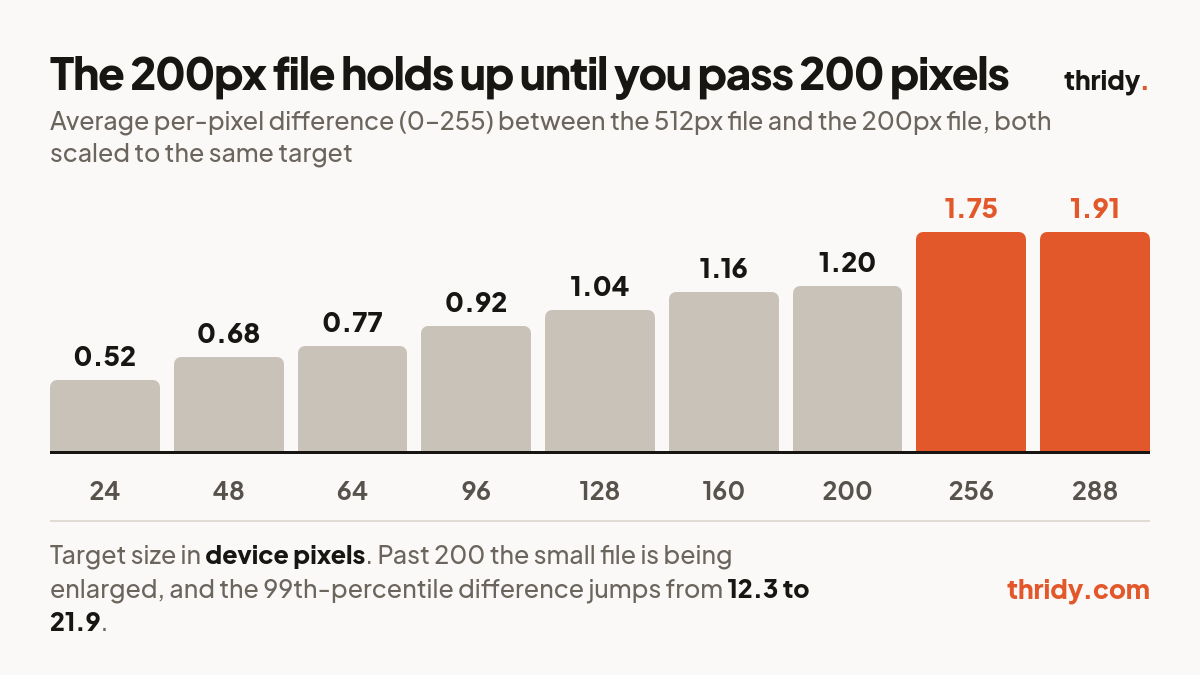
At a 64 device pixel target, the mean per-pixel difference between the two files is 0.77 out of 255. The 99th percentile is 6.7. Every single one of the 288 icons came in under a mean of 2.0, and 240 of them under 1.0. At 24 device pixels the mean falls to 0.52.
Put that in context: on an 8 bit channel there are 256 possible values, so a mean difference of 0.77 means the average pixel is off by less than a single step of the smallest increment the format can represent. At grid sizes the two files are the same picture, and one of them is a quarter of the weight.
Where the small file breaks
It breaks at exactly the place you would predict, which is a good sign that the measurement is real.
The 200 pixel file holds its own up to a 200 device pixel target. At 200 exactly it is being drawn at native resolution and the mean difference is 1.20. Push past that and you are enlarging it: at 256 the mean rises to 1.75 and the 99th percentile jumps from 12.3 to 19.2. At 288 device pixels the mean is 1.91, the 99th percentile is 21.9, and only 25 of the 288 icons still sit under 1.0.
The icons that fall apart first are the dense ones. Our worst cases at 288 pixels were the Aztec calendar at 6.79, the Mayan calendar at 6.31 and the Aztec sun stone at 6.17, all of them rings of fine concentric detail. The best was a thought bubble at 0.55, which is three smooth shapes and nothing else. When you discard resolution and then ask for it back, high frequency detail is what does not come back.
The rule this gives you
Multiply the CSS size by the device pixel ratio you need to support. If the answer is 200 or less, use the small file. If it is more, use the display file.
That covers more of a typical interface than it sounds. A 24 pixel inline icon at 1x needs 24. A 48 pixel list icon at 2x needs 96. A 64 pixel card icon at 3x needs 192, which still fits. The first common case that does not fit is a 96 pixel icon on a 3x phone, at 288 device pixels, and a 128 pixel icon at 2x, at 256.
If you want both, srcset does the choosing for you. Point the 200 file at 1x and the 512 file at 2x, give the img an explicit width, and the browser will pick per device without you branching in code.
The memory cost is the one people miss
Transfer size gets watched because it shows up in the network panel. Decoded size does not, and it is bigger.
A 512 by 512 RGBA bitmap occupies 1,024 KB in memory once decoded, no matter how well the WebP compressed on the wire. A 200 by 200 bitmap occupies 156 KB. For a 24 icon grid that is 24.0 MB of decoded bitmap against 3.7 MB. Compression buys you nothing here, because the browser holds the uncompressed pixels. On a mid range phone that difference is the one you feel.
What we are changing
Two things are our fault rather than yours. The small link is not documented well enough for anyone to find it without reading raw API responses, and the field name gives no hint of what it is for or when to stop using it. We are fixing both, and adding the pixel dimensions to the API response so you do not have to download a file to learn how big it is.
Until then the short version fits in one line: if your icon renders at 200 device pixels or fewer, use Icon Small Link, and you will ship a quarter of the bytes for a picture nobody can tell apart.
Free 3D icons for this
Every icon on Thridy is free to download and use. A few that fit this piece:
- Bubble Wrap 3D icon
- Cardboard 3D icon
- Cargo Pallet 3D icon
- Cargo Ship 3D icon
- Filled Donut 3D icon
- Caramel Lava Cake 3D icon
Browse all 2,600+ free 3D icons or explore them by category.